Turning a multimillion-dollar paper program into a single tap
Challenge
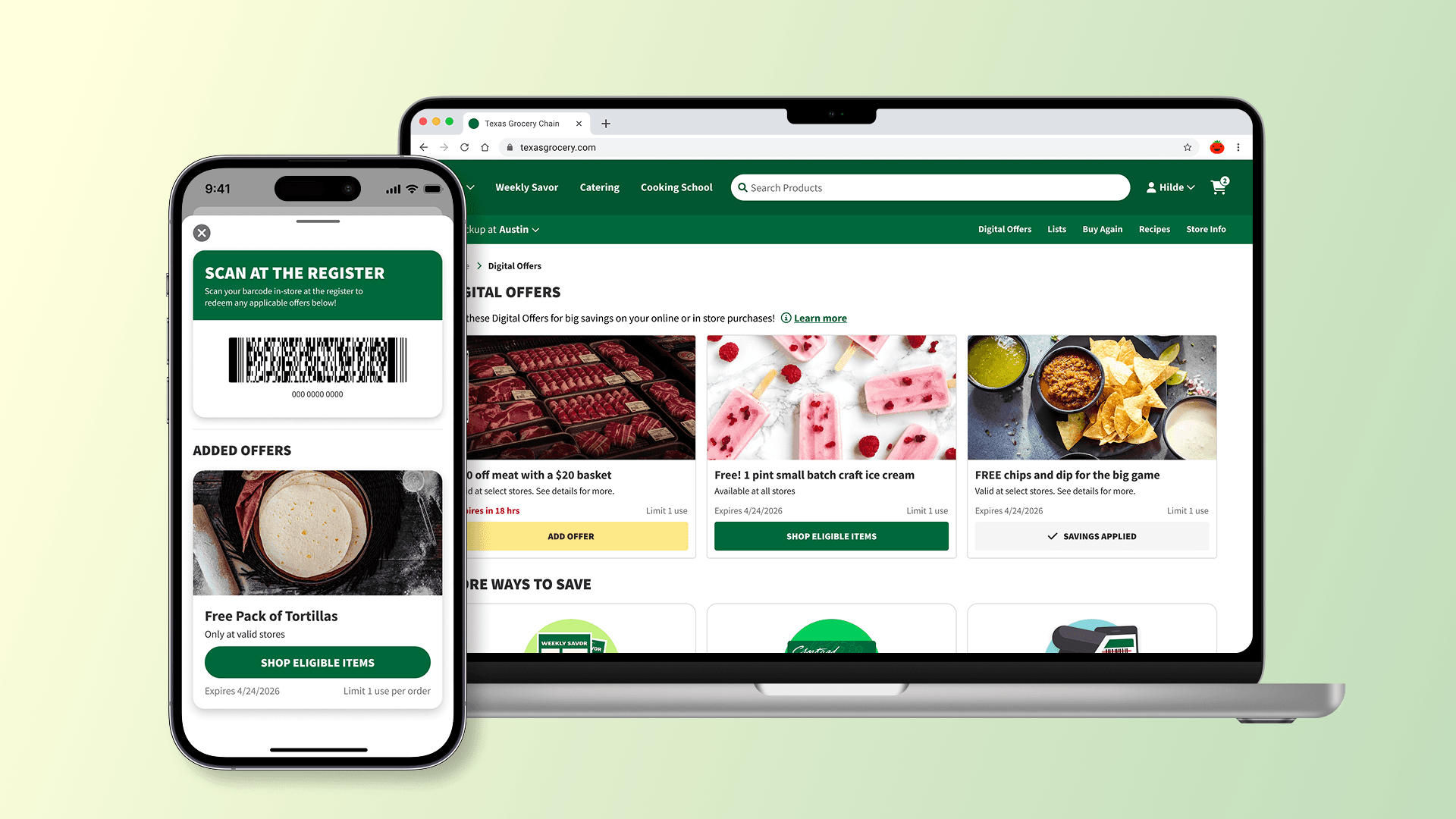
Transform a costly, fragmented physical coupon system into a seamless digital experience that reduces operational overhead while improving customer engagement.
Strategy
I designed a digital offers experience that automated savings end to end, then iterated on it after user testing revealed a confidence gap in the online redemption flow.
Results and impact
The launch drove 15,000 online offer redemptions in its first two weeks, direct usage of the redesigned online flow, alongside a 150% increase in active app users and 3x growth in weekly app downloads over the same period.
Challenge
Digitizing a Multimillion-Dollar Legacy System
For years, a high-end regional grocery retailer ran a high-touch offers program that depended on significant manual labor, paper printing, and ongoing postage, adding up to millions of dollars annually. The experience for customers was equally fragmented. Shoppers had to carry physical offers in-store or manually enter promo codes at online checkout, two behaviors that introduced friction at exactly the wrong moment.
The goal was clear: migrate the entire program to a digital experience that reduced operational costs while making savings easier to find, clip, and redeem.
Strategy
Initial Concept
I began by designing an experience that prioritized ease of use and automated savings, removing the friction of physical coupon management and manual code entry.
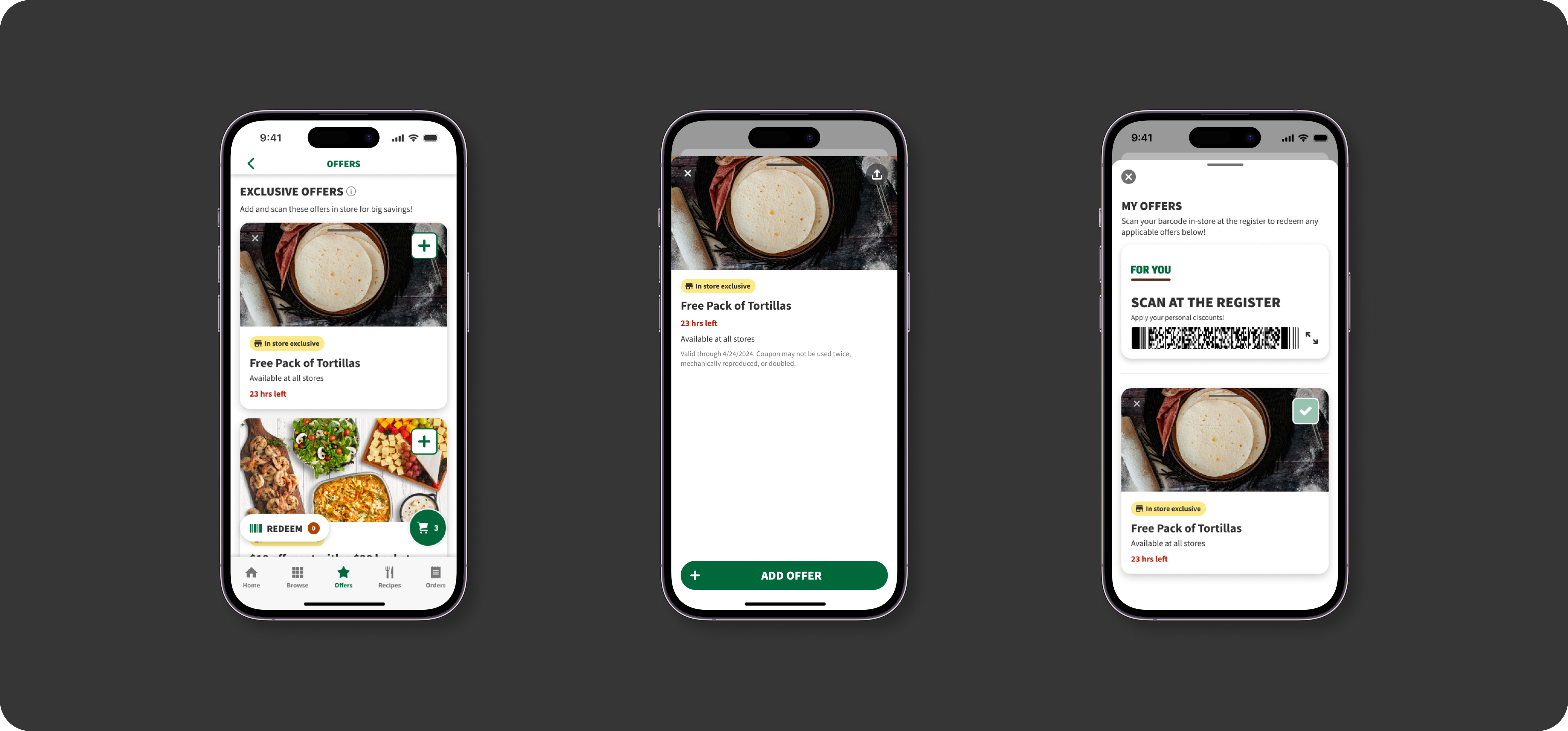
A key early decision was how to surface the redemption barcode in-store. Given that roughly 90% of our customers were in-store shoppers at the time, I wanted the path to redemption to be unambiguous, not something users had to discover. My answer was a "Redeem" Floating Action Button that made the path obvious. In this first concept it sat alongside the app's standard cart button on the coupon page. For online checkout, saved coupons were automatically applied, eliminating manual code entry entirely. At this stage, clipping an offer was a single action: a plus button that added it to the account with one tap.
Identifying Post-Action Friction
I partnered with a researcher to run user testing on the initial concept, comparing two layouts: one that kept a cart FAB on the right with the "Redeem" FAB on the left, and one with the redeem FAB alone. The cart FAB caused confusion. Some participants tapped into the cart to hunt for their saved offers, even though those offers were right on the page and behind the redeem FAB. Because the coupon page had no add-to-cart action, nothing confirmed what to do next. Participants couldn't tell whether an offer had actually been applied. The in-store clip-and-scan flow tested well, but online this uncertainty was undermining confidence in the automated system before users ever reached checkout.
User testing pointed to two changes.
1 Removed the cart FAB
With no add-to-cart action on the coupon page, a cart control there only sent people looking in the wrong place. I left a single button and renamed it "Redeem In-Store." That wasn't a test finding, just clarity: the barcode only applies in store, and the label should say so. That decision held up: in a recent 30-day period more than a year after launch, over 39,000 shoppers pulled up their in-store redemption barcode in the mobile app, the last step before scanning.
2 Made the online flow's progress visible
A user should never have to wonder whether an offer has applied. That became the three-step flow below.
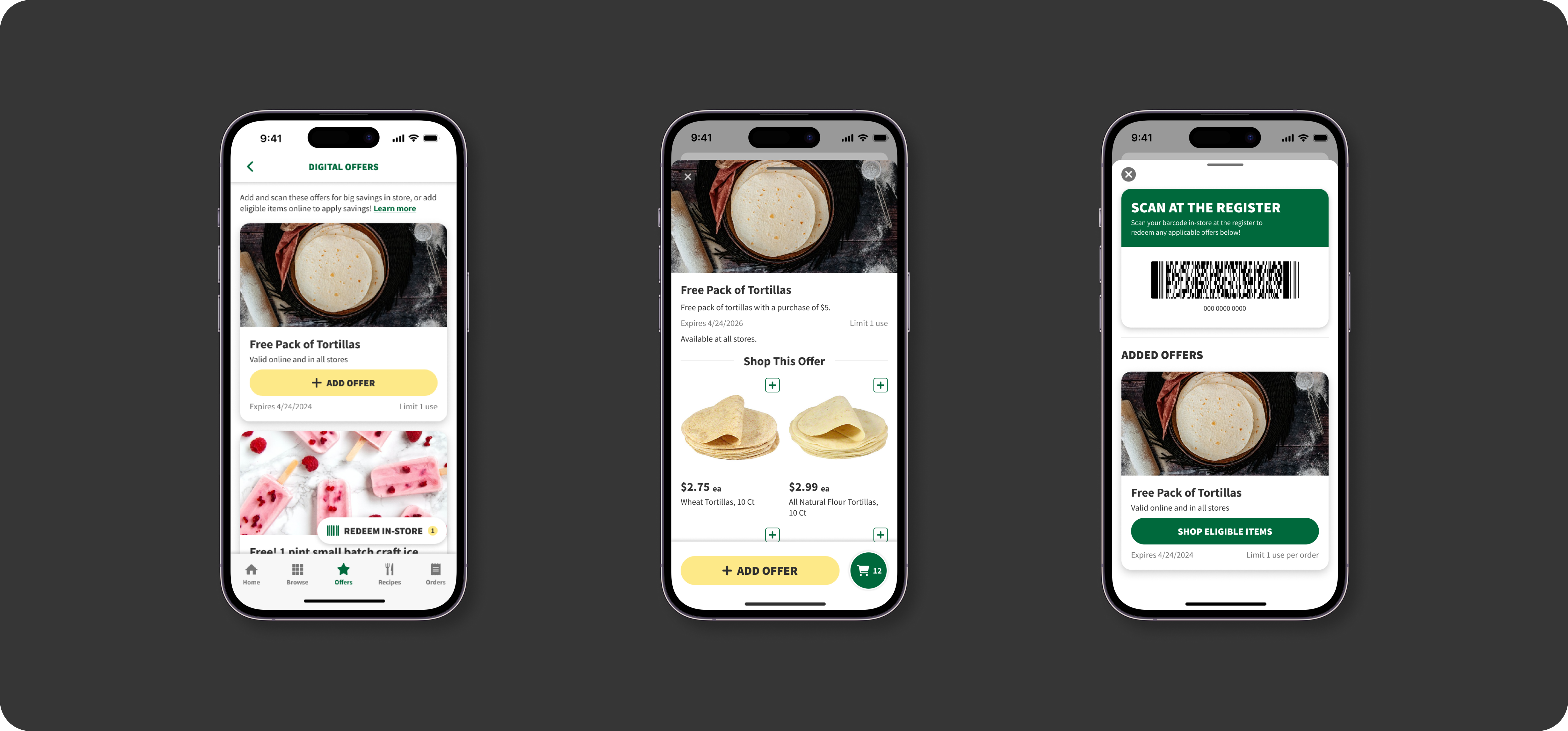
Evolving the Concept: A 3 Step Flow
The confidence gap didn't call for more steps; it called for more certainty. I added reassurance without adding required actions. Clipping stayed a single tap. An optional "Shop Eligible Items" view let the online shoppers who wanted it shop exactly the products that qualified and see the savings apply, while the roughly 90% shopping in store could ignore it. A passive confirmation then showed the discount had been applied. The user who already knew what to buy still redeemed in one action; the user who was unsure had a way to check. I gave certainty to those who needed it without taxing those who didn't.
The flow took shape in three stages, only the first of them required:
1 Intent (Add)
A frictionless "click and add" interaction that instantly links the offer to the user’s account.
2 Validation (Shop Eligible Items)
Tapping an offer card always opened its details page, but that page used to be only terms and conditions. I added the eligible products into it as shoppable cards: users could add them to cart and watch the savings apply. A "Shop Eligible Items" CTA called out that same path more prominently, making the qualifying variants unmistakable and reducing the risk of reaching checkout with ineligible items.
3 Confirmation (Savings Applied)
For online shoppers, immediate confirmation that the discount had been applied, removing any residual doubt before checkout.
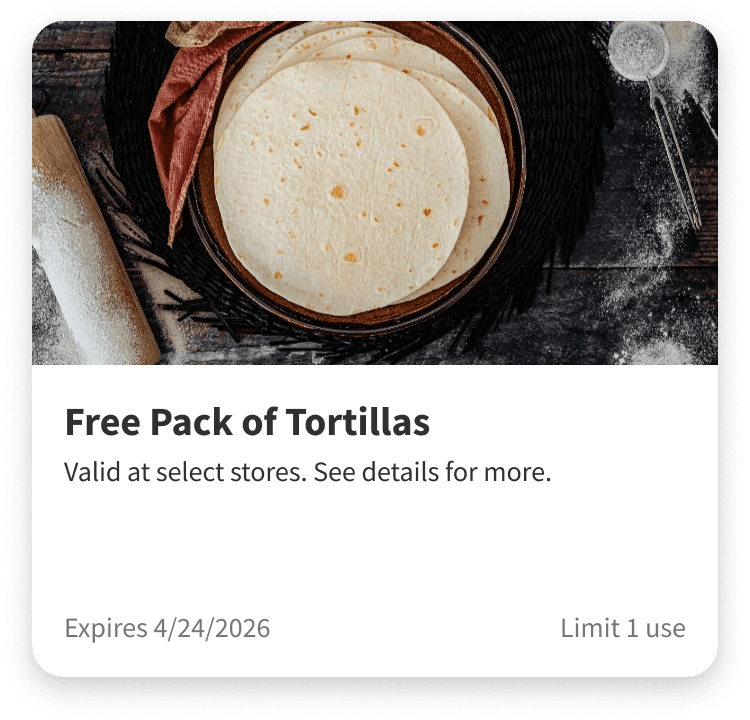
The animation below shows that evolution: the original single tap opening into the three guided steps.
Validation
Working with another researcher, I built high-fidelity prototypes of this model to support usability testing across both in-store and online scenarios. The sessions confirmed that the additional steps didn't add friction; they added certainty.
"I would've wanted to know which ones apply—whether I'm in store or I'm shopping online. I may end up going to the wrong store and then picking up the wrong tortillas and thinking they apply just because I couldn't see the details." — Participant
"There was no promo code I had to type. I did not have to manually do anything. I just had to click on offers, find the tortillas I wanted, and they were free. Everything was automatically done in the app." — Participant
What I held back for MVP
After validation, I concepted a guided version of step two for complex offers — buy one, get two free: walk the shopper through what still needed to be added and show what had just become free. It was the right experience and the wrong scope. When engineering scoped it, building it meant per-offer logic they couldn't take on before launch, so I shipped product groups instead. Every offer shows a "buy" group and a "get free" group, which gives the shopper the same information without the hand-holding.
Results & Impact
The digital coupon launch transformed a high-cost physical process into a scalable engagement engine, streamlining checkout and accelerating digital adoption across app and web.